
Digital dentistry can improve how dental teams capture, manage, design, and produce clinical data, but successful adoption depends on more than purchasing new equipment. Staff need to understand not only how to operate a scanner or software platform, but also how each digital step connects to the next stage of the workflow.
For practices and laboratories introducing new technologies, a structured training approach can reduce errors, improve consistency, and help employees become comfortable with digital processes. SHINING 3D DENTAL provides an integrated digital workflow covering scanning, design, and printing, making it useful to consider training as a complete workflow rather than a single-device exercise.
Start With the Workflow, Not the Equipment
A common training mistake is to focus immediately on device operation. Staff may learn which buttons to press, but still struggle to understand when and why a particular function should be used.
Before training begins, map the current workflow and identify where digital technology will be introduced. For example, a typical process may begin with intraoral data acquisition, continue through data review and digital design, and finish with manufacturing or communication with a laboratory.
SHINING 3D DENTAL describes this process as a “Scan, Design, Print” workflow, connecting scanners, software and 3D printing within a broader digital ecosystem.
Training should therefore explain the relationship between each stage. When employees understand how their work affects the next person in the process, they are more likely to capture complete and usable data rather than simply completing a scanning task.
Divide Training Into Practical Skill Levels
Not every employee needs the same level of technical knowledge. A receptionist, dental assistant, clinician, CAD designer, and production technician may interact with digital dentistry solutions in very different ways.
A practical training program can be divided into three levels.
The first level is basic operation. Staff learn equipment preparation, software login, scanning protocols, data storage, and routine maintenance. The goal is to establish confidence with everyday tasks.
The second level focuses on workflow execution. Employees practice complete cases from scanning through data transfer, checking whether the captured information is sufficient for the next step.
The third level covers advanced applications and troubleshooting. Selected team members can learn more complex workflows, software functions, case evaluation, and common causes of scanning or data-processing problems.
This approach prevents employees from being overwhelmed while ensuring that key team members develop deeper technical capabilities.
Make Intraoral Scanning a Hands-On Skill
For many dental teams, intraoral scanning is one of the first major changes from traditional workflows. Training should therefore combine demonstrations with repeated hands-on practice.
Staff should learn how to prepare the scanner, position it correctly, maintain an appropriate scanning path, and recognize incomplete or unreliable data. They should also understand how environmental factors, patient movement, saliva, reflective surfaces, and difficult anatomical areas can affect data capture.
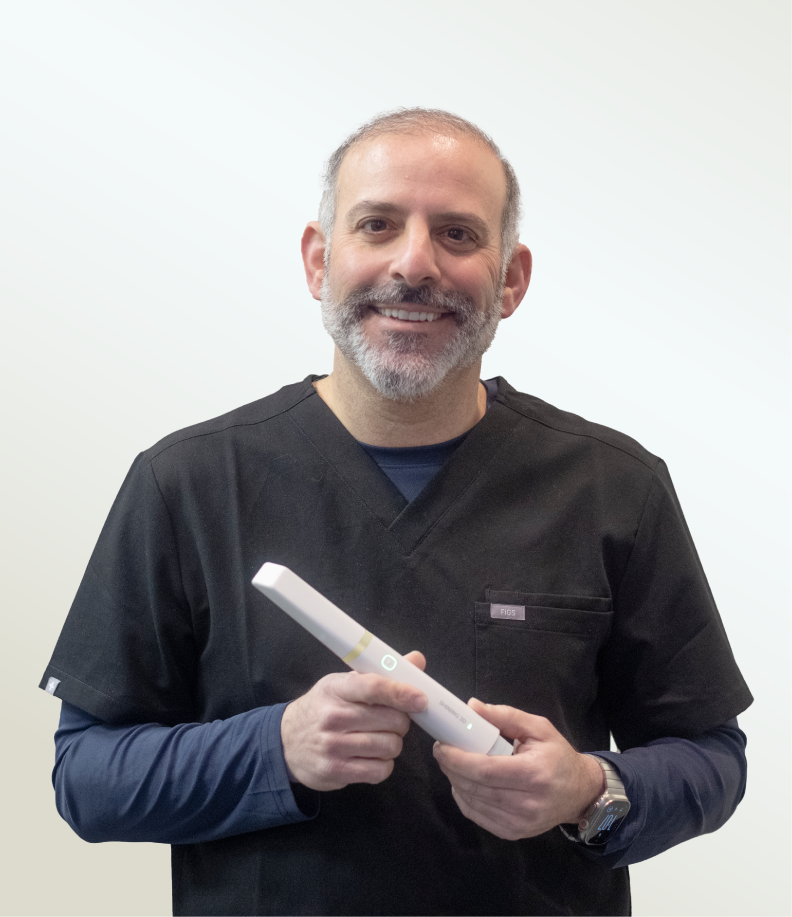
SHINING 3D DENTAL’s Aoralscan range uses real-time 3D data capture and software features designed to support digital scanning workflows. Its product range includes wired and wireless models as well as systems supporting applications such as dynamic bite scanning and additional scan functions.
Instead of judging training success by whether an employee can complete one scan, managers should evaluate whether the employee can repeatedly produce complete, usable digital impressions under normal working conditions.
Train Employees to Check Data Before Moving Forward
Digital workflows do not eliminate the need for quality control. They change where quality control takes place.
After scanning, employees should know what to inspect before submitting a case. This can include checking for missing surfaces, insufficient occlusal information, stitching issues, soft-tissue interference, or other areas that could affect subsequent design or production.
A simple review checklist can make this process more consistent. Staff can be trained to ask several questions: Is the entire required area captured? Is the margin clearly visible? Is the bite relationship sufficient? Are there obvious scanning defects? Is the file correctly labeled and assigned to the right case?
This step is particularly important because identifying a problem immediately is generally more efficient than discovering it later during design or production.
Connect Training to Software and Case Management
Digital dentistry solutions involve more than hardware. Staff also need to understand how files move through software platforms and how cases are communicated between different roles.
SHINING 3D Dental Cloud, for example, supports uploading intraoral scan data, managing case projects, and entering design workflows online. Its clinic guidance also covers creating clinics, sending orders to laboratories, and uploading orders.
Training should therefore cover practical digital administration, including file naming, case organization, data transfer, communication, and basic troubleshooting. These seemingly small details can have a significant effect on workflow efficiency when multiple employees handle different stages of a case.
Use Real Cases Instead of Only Demonstrations
A product demonstration can show employees what a system is capable of, but real cases reveal the decisions they need to make.
After basic training, introduce several representative cases. Begin with straightforward cases before progressing to more challenging situations. Employees should practice scanning, reviewing the data, submitting the case, and identifying problems independently.
For advanced teams, training can include workflows involving implants, orthodontics, restorative dentistry, or full-arch applications. SHINING 3D DENTAL provides case studies and educational resources covering applications such as implant workflows, full-arch treatment, and intraoral photogrammetry.
Using cases that reflect actual daily work makes training more relevant and helps employees connect technical features with practical outcomes.
Build Ongoing Training Into Daily Operations
One training session is rarely enough. Software updates, new applications, workflow changes, and staff turnover can all create new learning requirements.
A better approach is to establish short, recurring training sessions. For example, teams can review one workflow problem each month, conduct refresher scanning exercises, or introduce one new software feature at a time.
SHINING 3D DENTAL has also provided online training and webinars covering topics such as live scanning, software workflows, model printing, and digital implant workflows.
Internal knowledge sharing can complement these external resources. Experienced employees can document successful workflows and common troubleshooting solutions so that new staff have a practical reference.
Measure Training With Workflow-Based Standards
Training should ultimately be evaluated through performance rather than attendance.
Useful indicators may include scanning completion quality, rescan frequency, case processing time, data-transfer errors, and the number of cases requiring correction because of preventable mistakes.
The goal is not simply to make employees familiar with digital equipment. It is to establish a repeatable workflow in which each team member understands their responsibilities and can produce consistent results.
Building a Sustainable Digital Workflow
Successful adoption of digital dentistry solutions requires a combination of technology, practical training, quality control, and continuous learning. Staff should understand the complete workflow, develop hands-on skills, and learn how to identify problems before they affect downstream processes.
For organizations evaluating a digital workflow, SHINING 3D DENTAL offers an ecosystem spanning intraoral scanning, digital design services, cloud connectivity, and 3D printing. By combining appropriate technology with structured staff training, teams can make the transition to digital dentistry more manageable while building workflows that are easier to operate, evaluate, and improve over time.

